howtodo ~ The Guide
Home Guides Topics RSS Widget
Featured guide
Hands typing on a laptop keyboard with a browser open on screen and a monitor in the background

How to Block Websites on Chrome

Block distracting websites on Chrome with a free extension, close the Incognito loophole, and use Screen Time or Family Link on phones.

Easy6 min
Home → Topics → Internet & Files

Internet & Files

Faster DNS, blocked websites, file conversions, downloads, and a tidier set of digital files.
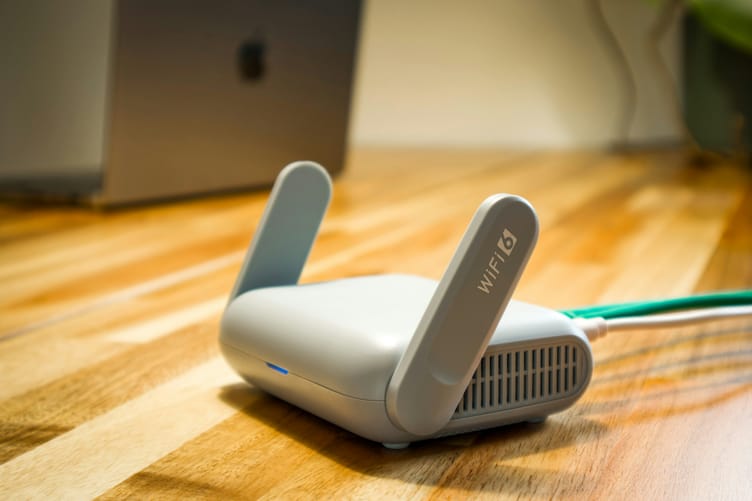
Small white Wi-Fi router with two folding antennas on a wooden desk, a laptop blurred in the background

How to Fix Slow DNS Lookup

Measure your DNS speed first, then flush the cache, restart the router, find a dead server, or switch to Cloudflare, Google, or Quad9 on Windows, Mac, iPhone, Android, or your router.

Medium 12 min · 7 steps Tech Troubleshooting Basics
A MacBook on a wooden desk showing photo editing software with a photo library sidebar and image thumbnails

How to Convert HEIC to JPG

Convert HEIC photos to JPG with the Preview app on iPhone, Finder or Preview on a Mac, or Paint on Windows, then set your iPhone camera to shoot JPG from the start.

Easy 7 min · 5 steps
Black wireless headphones beside a MacBook Pro on a wooden desk

How to Convert YouTube to MP3 Legally

Get audio from YouTube legally with YouTube Premium, the YouTube Audio Library, or Creative Commons videos, buy DRM-free files elsewhere, and see where the courts stand on converter sites.

Easy 10 min · 6 steps
Laptop computer with a glowing screen on a dark surface

How to Use Magnet Links

Open a magnet link in a BitTorrent client, choose the files you want, fix a link stuck on downloading metadata, and know what other peers can see while you download.

Easy 12 min · 7 steps
Clean organized desktop computer screen with minimal folders

How to Declutter Digital Files

Clear out your Downloads folder, desktop, phone photos, email, and cloud storage safely, then set up a few simple folders and a monthly routine that keep the clutter from coming back.

Easy 7 min · 6 steps
Previous ← Older guides Page 1 of 1 Next Newer guides →

Get the next one

New guides, straight to your inbox.

Subscribe and get new tech guides by email. Read the ones you need and skip the rest.

Free to join
About Contact Privacy Terms

© 2026 How To Do. All rights reserved.